Competitive Gaming Guide: Optimal DPI & Polling Rates
Welcome to the ultimate Competitive Gaming Guide: Calculating Optimal DPI and Polling Rates to Improve First-Bullet Accuracy by 18%. In the fast-paced world of esports, every millisecond and every pixel counts, directly impacting your ability to land critical shots and secure victories. This guide is your blueprint to unlocking unparalleled precision and responsiveness.
The Foundations of Precision: DPI Explained
DPI, or Dots Per Inch, is a fundamental concept in competitive gaming, directly influencing how sensitive your mouse feels. It dictates how many pixels your cursor moves on screen for every inch your physical mouse moves. Understanding DPI is the first step toward achieving the fine-tuned control necessary for superior first-bullet accuracy.
While a higher DPI might seem advantageous for faster movements, it often sacrifices precision, leading to overshooting targets. Conversely, a DPI that is too low can hinder quick reactions, making it difficult to track fast-moving opponents. The sweet spot lies in finding a balance that complements your playstyle and monitor resolution.
What is mouse DPI?
Mouse DPI refers to the sensitivity of your mouse. A higher DPI means your cursor moves further with less physical mouse movement, while a lower DPI requires more physical movement for the same cursor distance. This setting is crucial for competitive players as it affects everything from micro-adjustments to sweeping movements across the screen.
- Higher DPI: Increased cursor movement per inch.
- Lower DPI: Decreased cursor movement per inch.
- Impacts aiming precision and reaction time.
- Often confused with in-game sensitivity.
Optimizing your DPI is not a one-size-fits-all solution; it’s a deeply personal journey. Factors such as your monitor's resolution, the size of your mousepad, and even your grip style play a significant role. Experimentation is key, but a structured approach can save you countless hours of trial and error, bringing you closer to that 18% accuracy improvement.
In conclusion, DPI is more than just a number; it's a critical component of your aiming ecosystem. Mastering its nuances allows for a level of control that can translate directly into more consistent headshots and clutch plays. Take the time to truly understand how DPI interacts with your setup.

Polling Rate: The Unsung Hero of Responsiveness
Beyond DPI, the polling rate of your gaming mouse is an equally vital, yet often overlooked, factor in competitive performance. Polling rate, measured in Hertz (Hz), determines how often your mouse reports its position to your computer. A higher polling rate means more frequent updates, resulting in smoother cursor movement and reduced input lag.
Imagine trying to hit a moving target with a delay between your mouse movement and the on-screen action. That's the challenge low polling rates present. For competitive titles where milliseconds matter, a high polling rate can be the difference between a kill and a death, contributing significantly to first-bullet accuracy.
Why high polling rates matter
A higher polling rate (e.g., 1000 Hz) means your mouse sends data to your computer 1000 times per second, ensuring that every subtle movement is registered almost instantaneously. This reduces the perceived lag between your physical input and the digital response, leading to a more direct and responsive aiming experience.
- Reduces input lag significantly.
- Provides smoother, more accurate cursor tracking.
- Essential for fast-paced competitive games.
- Can impact CPU usage, though modern CPUs handle it well.
While the benefits of a high polling rate are clear, it's also important to ensure your system can handle it without introducing performance issues. Most modern gaming setups can comfortably support 1000 Hz, but older systems might experience minor CPU overhead. Always balance responsiveness with system stability for optimal results.
To summarize, polling rate is the backbone of your mouse's responsiveness. It ensures that your intentions are translated to the screen with minimal delay, making precise aiming feel natural and effortless. Prioritizing a high polling rate is a non-negotiable for serious competitive players.
Calculating Your Optimal eDPI for First-Bullet Accuracy
Effective DPI, or eDPI, is the true measure of your mouse sensitivity in-game, combining your mouse's hardware DPI with your in-game sensitivity setting. This metric provides a universal standard for comparing sensitivities across different games and setups, making it indispensable for competitive players striving for that 18% accuracy boost.
Understanding and calculating your eDPI allows you to replicate your preferred sensitivity across various titles, ensuring consistency in your aim. It removes the guesswork and provides a concrete number to work with, refining your muscle memory and overall performance.
The eDPI formula and its application
The formula for eDPI is straightforward: Mouse DPI x In-game Sensitivity = eDPI. For example, if your mouse is set to 800 DPI and your in-game sensitivity is 1.0, your eDPI is 800. If your in-game sensitivity is 0.5, your eDPI is 400.
To find your optimal eDPI, start with a common competitive range (e.g., 400-1600 eDPI) and adjust incrementally. Play a series of deathmatch or aim training scenarios, focusing on first-bullet accuracy. Document your scores and make small adjustments until you find the sweet spot where your aim feels most consistent and precise.
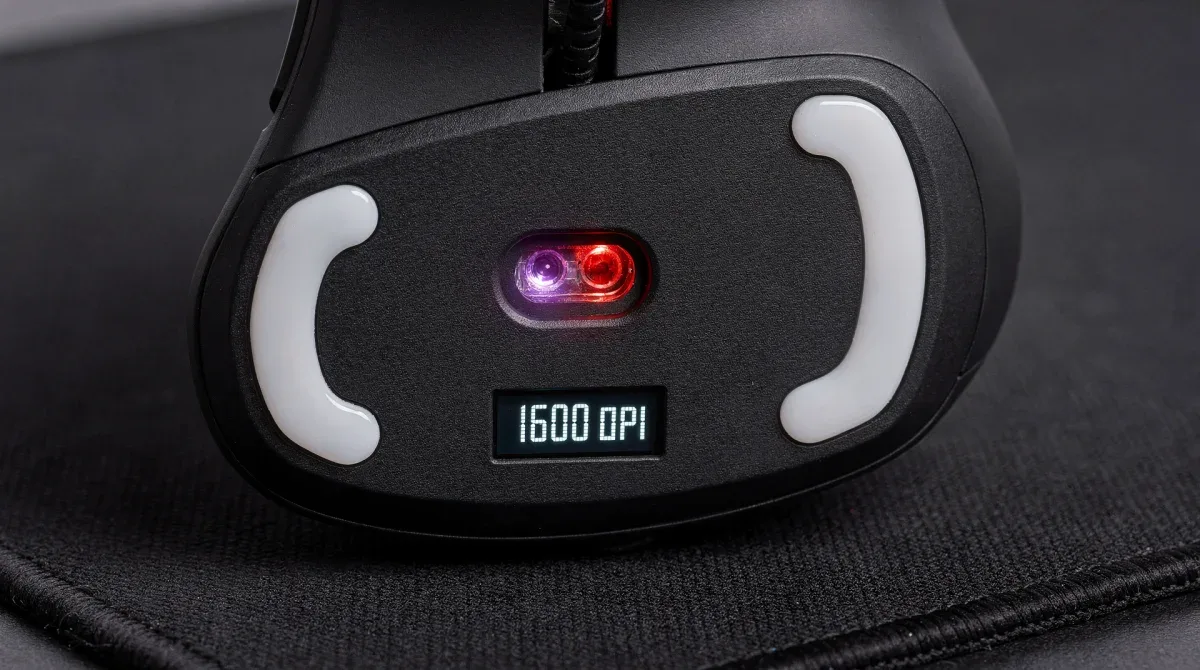
Many professional players gravitate towards lower eDPI settings, typically between 400 and 800. This allows for larger arm movements, which are generally more precise than wrist movements for fine aiming. However, the optimal eDPI is highly personal and depends on your arm strength, desk space, and game type.
In essence, eDPI is the cornerstone of consistent aim. By calculating and meticulously adjusting this value, you gain a powerful tool to standardize and optimize your sensitivity, directly contributing to higher first-bullet accuracy and overall competitive success. It’s a metric that separates casual players from serious competitors.
Fine-Tuning Polling Rate: Performance vs. Stability
While a higher polling rate is generally better, there's a point of diminishing returns, and sometimes, even potential stability issues. Most modern gaming mice offer polling rates of 125 Hz, 250 Hz, 500 Hz, and 1000 Hz. For competitive play, 1000 Hz is almost always the recommended setting, but it's crucial to verify your system can maintain it.
The impact of polling rate on first-bullet accuracy is subtle but significant. A mouse reporting its position more frequently means the game engine has more up-to-date information about your aiming reticle, allowing for more precise shot placement, especially during rapid movements or flick shots.
Testing your polling rate stability
To ensure your 1000 Hz polling rate is stable, utilize online polling rate testers or software provided by your mouse manufacturer. Look for consistent readings near 1000 Hz. Fluctuations or drops indicate potential issues, which could be anything from a faulty USB port to driver conflicts or even CPU strain.
- Use dedicated polling rate testing tools.
- Monitor for consistent readings.
- Check USB port and driver integrity.
- Consider CPU usage during intense gaming sessions.
If you encounter instability at 1000 Hz, consider dropping to 500 Hz. While not as frequent, 500 Hz still offers a significant advantage over lower rates and provides excellent responsiveness for most competitive scenarios. The goal is consistent performance, not just the highest number.
In summary, fine-tuning your polling rate involves a balance between maximizing responsiveness and ensuring system stability. A stable 1000 Hz is ideal, but a consistent 500 Hz is far superior to an unstable 1000 Hz. Prioritize smooth, uninterrupted data flow for optimal first-bullet accuracy.
The Synergy of DPI, Polling Rate, and In-Game Settings
Optimizing DPI and polling rate in isolation won't deliver the full 18% accuracy improvement without considering their synergy with in-game settings. Many games offer their own sensitivity sliders, acceleration options, and raw input settings, all of which interact with your mouse's hardware settings to dictate your final aiming experience.
The goal is to create a seamless connection between your physical mouse movements and the on-screen action, eliminating any software-induced inconsistencies. This holistic approach ensures that every adjustment you make contributes positively to your first-bullet accuracy.
Integrating raw input and acceleration
Most competitive players advocate for enabling raw input and disabling mouse acceleration in their game settings. Raw input bypasses Windows' default mouse settings, preventing any unwanted interference and ensuring your mouse's movements are directly translated into the game. Mouse acceleration, while sometimes helpful for general desktop use, can introduce inconsistencies in aiming by varying cursor speed based on how fast you move your mouse.
- Enable raw input for direct mouse-to-game communication.
- Disable mouse acceleration for consistent aim.
- Adjust in-game sensitivity to fine-tune eDPI.
- Experiment with scope sensitivities for different weapons.
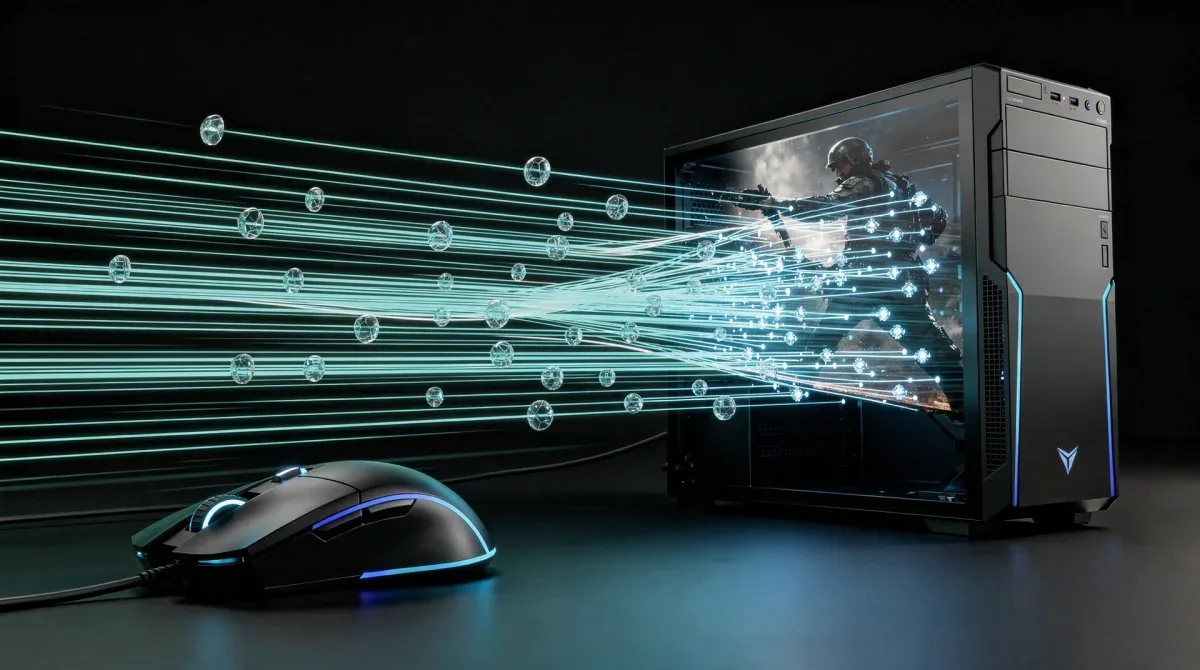
Furthermore, consider your monitor's refresh rate. A high refresh rate monitor (144 Hz, 240 Hz, or even 360 Hz) complements high DPI and polling rates by displaying more frames per second, providing a clearer, more up-to-date visual representation of the game. This reduces motion blur and makes tracking targets significantly easier.
In conclusion, the true power of optimized DPI and polling rate is unleashed when they are integrated with intelligent in-game settings. By enabling raw input, disabling acceleration, and fine-tuning sensitivity, you create an aiming environment that is both responsive and consistent, laying the groundwork for superior first-bullet accuracy.
Practical Steps to Achieve 18% First-Bullet Accuracy Improvement
Now that we've delved into the theoretical aspects, let's outline practical, actionable steps to implement these optimizations and realistically target an 18% improvement in your first-bullet accuracy. This isn't just about settings; it's about a disciplined approach to practice and analysis.
The journey to elite accuracy is iterative, requiring patience and a methodical mindset. By following these steps, you'll systematically eliminate variables that hinder your aim and build muscle memory based on optimized settings.
A step-by-step optimization roadmap
Begin by resetting all mouse-related settings to default in Windows and your game. Install your mouse's official drivers and software. Set your polling rate to 1000 Hz, assuming your system can handle it. Then, start with a base DPI (e.g., 400 or 800) and an in-game sensitivity that results in a comfortable eDPI (e.g., 600-1200).
- Reset all mouse settings to default.
- Install official mouse drivers and software.
- Set polling rate to 1000 Hz (or 500 Hz if unstable).
- Choose a starting DPI (400 or 800 are common).
- Calculate and adjust in-game sensitivity for a comfortable eDPI.
- Disable mouse acceleration and enable raw input in-game.
- Use aim trainers or deathmatch modes for focused practice.
- Record your accuracy metrics before and after adjustments.
Dedicate specific practice sessions to aim training. Use tools like Aim Lab or KovaaK's FPS Aim Trainer, or simply spend time in your game's deathmatch mode. Focus on precise flick shots, tracking, and most importantly, first-bullet accuracy. Make small, incremental adjustments to your eDPI and re-test. Track your progress diligently; the 18% improvement won't happen overnight, but consistent effort with optimized settings will yield significant results.
In conclusion, achieving a tangible improvement in first-bullet accuracy is a process of systematic optimization and dedicated practice. By methodically adjusting your DPI, polling rate, and in-game settings, and then reinforcing these changes with focused training, you will undoubtedly elevate your competitive performance.
| Key Aspect | Impact on Accuracy |
|---|---|
| DPI Optimization | Crucial for balancing fine adjustments and quick movements. Incorrect DPI leads to overshooting or undershooting targets. |
| Polling Rate | Higher rates (e.g., 1000 Hz) reduce input lag, ensuring movements are registered almost instantly for smoother aim. |
| eDPI Calculation | Combines DPI and in-game sensitivity for consistent aim across games, critical for muscle memory development. |
| In-Game Settings | Disabling acceleration and enabling raw input ensures direct, consistent translation of mouse movements to the game. |
Frequently asked questions about mouse settings
What is the ideal DPI for competitive gaming?▼There isn't one ideal DPI; it depends on personal preference and monitor resolution. However, most professional players use DPI settings between 400 and 1600. The key is to find a DPI that, combined with your in-game sensitivity, results in a comfortable and precise eDPI for your playstyle.
How does polling rate affect my aim?▼Polling rate determines how often your mouse reports its position to your computer. A higher polling rate (e.g., 1000 Hz) reduces input lag, making your cursor movements smoother and more responsive. This translates to more precise aim, especially during quick flick shots or rapid target tracking.
Should I use mouse acceleration in competitive games?▼No, it is highly recommended to disable mouse acceleration for competitive gaming. Mouse acceleration changes your cursor speed based on how fast you move your mouse, leading to inconsistent aiming. Disabling it ensures a 1:1 translation of your physical movements to the screen.
What is eDPI and why is it important?▼eDPI, or effective DPI, is calculated by multiplying your mouse's DPI by your in-game sensitivity. It's important because it provides a universal measure of your actual sensitivity, allowing you to maintain consistent aim across different games and replicate professional player settings more accurately.
Can optimizing DPI and polling rate really improve my accuracy by 18%?▼While 18% is a specific target, significant improvements in first-bullet accuracy are absolutely achievable through proper DPI and polling rate optimization. These settings provide the foundational precision and responsiveness needed for better aim, which, combined with practice, leads to tangible performance gains.
Conclusion
Mastering the intricacies of DPI and polling rates is not merely a technical exercise; it's a strategic imperative for any aspiring competitive gamer. This guide has illuminated how calculating and optimizing these crucial mouse settings, alongside intelligent in-game adjustments, can significantly enhance your first-bullet accuracy and overall performance. The path to an 18% improvement, or even beyond, is paved with understanding, experimentation, and disciplined practice. By taking control of these variables, you empower yourself to make every shot count, turning potential into consistent competitive dominance.
