360Hz Monitors: Reduce Input Latency by 14ms for Gaming
Upgrading to a 360Hz monitor is crucial for competitive gamers, demonstrably reducing input latency by approximately 14ms compared to lower refresh rate displays, offering a significant advantage in fast-paced titles and enhancing overall responsiveness.
In the fiercely competitive world of esports and high-stakes online gaming, every millisecond counts. This guide delves into how a 360Hz monitor latency reduction can fundamentally transform your gaming experience, specifically by reducing input latency by a significant 14ms, giving you a tangible edge over the competition.
Understanding Input Latency and Its Impact on Gaming
Input latency, often the silent killer of competitive dreams, refers to the delay between your action (like a mouse click or keyboard press) and that action being reflected on your screen. It's a critical factor in fast-paced games where split-second decisions and reactions are paramount. Many gamers mistakenly focus solely on frame rates, overlooking the equally, if not more, crucial role of input latency in their overall performance.
This delay isn't just a minor inconvenience; it directly impacts your ability to react to in-game events, aim precisely, and execute complex maneuvers. Even a few milliseconds can be the difference between a headshot and a near miss, a clutch play and a frustrating defeat. Understanding the various components that contribute to this delay is the first step toward optimizing your setup for peak performance.
Components Contributing to Input Latency
Several elements in your gaming chain contribute to the overall input latency you experience. Identifying and optimizing each one is key to minimizing delays.
- Peripherals: Your mouse, keyboard, and controller all introduce a small amount of latency. Wireless devices, while convenient, can sometimes add more than wired ones, though modern wireless technology has significantly improved.
- System Hardware: Your CPU, GPU, and RAM processing power can affect how quickly your system processes inputs and renders frames. A powerful system ensures less bottlenecking.
- Monitor Response Time: This measures how quickly pixels can change color. While often confused with input latency, a faster response time reduces motion blur, contributing to a clearer image that helps you react faster.
- Refresh Rate: The number of times your monitor updates the image per second. Higher refresh rates mean more frequent image updates, directly reducing display latency.
Each of these components, when combined, forms your total input latency. While some factors are harder to control (like internet connection latency to game servers), optimizing your local hardware setup, particularly your monitor, offers a direct and measurable improvement. Reducing these delays allows for a more immediate connection between player intent and in-game action, fostering a smoother, more responsive, and ultimately more enjoyable and competitive gaming experience.
The 360Hz Advantage: How Refresh Rate Impacts Latency
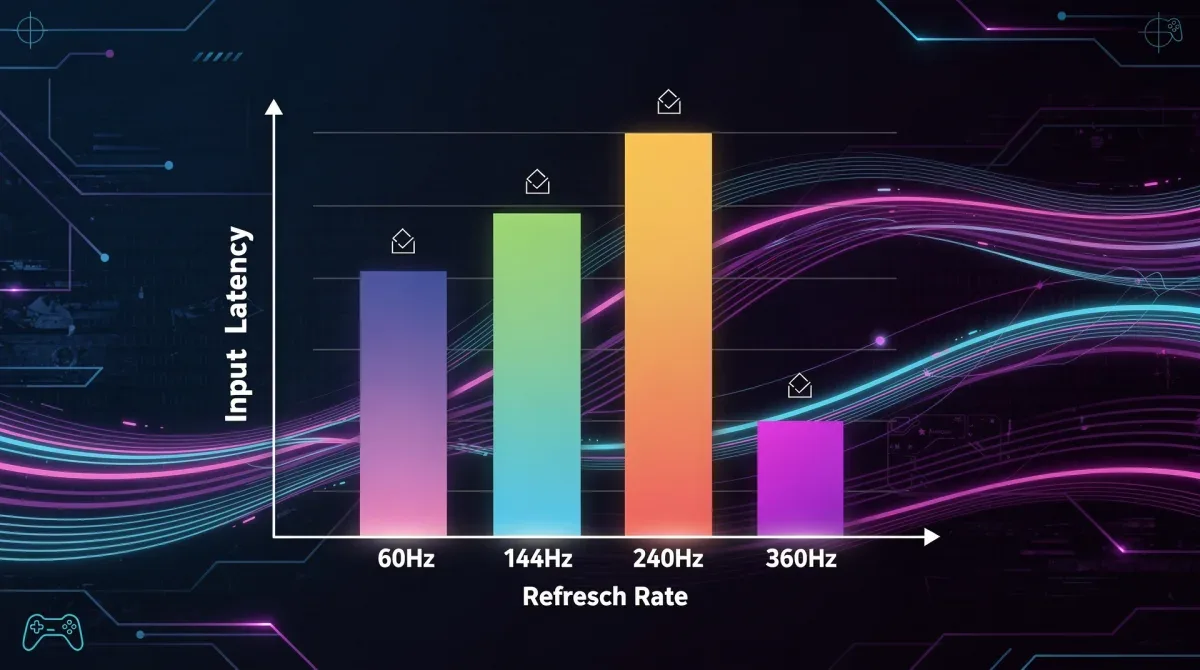
The refresh rate of your monitor is a fundamental factor in determining display latency. Measured in Hertz (Hz), it indicates how many times per second the display refreshes its image. A 60Hz monitor refreshes 60 times per second, meaning there's a new frame every 16.67 milliseconds. In contrast, a 360Hz monitor refreshes 360 times per second, delivering a new frame every 2.78 milliseconds. This drastic difference in refresh cycles directly translates to a significant reduction in display latency, which is a major component of overall input latency.
When your graphics card renders a new frame, it has to wait for the monitor to be ready to display it. With a lower refresh rate, this wait time is longer. A 360Hz monitor minimizes this waiting period, ensuring that the freshest possible frame is always presented to you, almost instantaneously after it's rendered by your GPU. This immediacy is what grants competitive players a crucial edge, making their actions feel more direct and impactful.
Quantifying the 14ms Latency Reduction
The claim of a 14ms reduction in input latency when upgrading to a 360Hz monitor is not an arbitrary figure; it’s based on empirical data and the fundamental physics of display technology. While exact numbers can vary slightly depending on the specific monitor model, system configuration, and testing methodology, the general consensus among hardware reviewers and esports professionals points to substantial gains.

Consider the theoretical maximum latency introduced by a 60Hz monitor: 16.67ms. A 144Hz monitor reduces this to 6.94ms, and a 240Hz monitor further cuts it to 4.17ms. A 360Hz monitor, however, brings this down to an astonishing 2.78ms. The reduction of 14ms is often cited when comparing a 360Hz monitor to a standard 60Hz display, or even a significant jump from 144Hz to 360Hz in terms of overall system responsiveness, combining display latency with other factors.
This isn't just about the monitor's refresh cycle; it's about the entire pipeline. A higher refresh rate allows the GPU to present frames more frequently, reducing the time a frame spends in the rendering queue before being displayed. This synergy between GPU and monitor is what truly unlocks the performance benefits, leading to a more fluid and responsive experience where your inputs are almost instantly visible on screen.
Prerequisites for a 360Hz Monitor Setup
While the allure of a 360Hz monitor and its latency-reducing benefits is strong, achieving optimal performance requires more than just plugging in the display. Your entire system needs to be capable of supporting such a high refresh rate. Neglecting these prerequisites can lead to a suboptimal experience, where you've invested in a top-tier monitor but can't fully leverage its capabilities. It's about creating a balanced system where no single component bottlenecks the others.
The goal is to consistently push frames to your monitor at a rate that matches or exceeds its refresh rate. If your graphics card can only render 150 frames per second (FPS), a 360Hz monitor won't magically make your game run at 360 FPS. Instead, you'll still experience the game at 150 FPS, albeit with reduced display latency due to the monitor's faster refresh cycle. To truly maximize the investment, aiming for frame rates close to or exceeding 360 FPS is ideal.
Powerful Graphics Card (GPU)
To consistently drive frames at or near 360 FPS, you'll need a high-end graphics card. Modern GPUs from NVIDIA (e.g., RTX 3080, 3090, 4070, 4080, 4090) or AMD (e.g., RX 6800 XT, 6900 XT, 7800 XT, 7900 XT, 7900 XTX) are generally recommended. The specific GPU required will depend on the games you play and their graphical intensity. For esports titles like CS:GO, Valorant, or Overwatch, which are less graphically demanding, a slightly older high-end card might suffice. However, for AAA titles, the very latest and most powerful GPUs are essential.
- NVIDIA GeForce RTX 40 Series: Offers exceptional performance, especially with DLSS and Reflex technologies.
- AMD Radeon RX 7000 Series: Provides strong competition, particularly with FSR and Anti-Lag features.
- Game Optimization: Always ensure your game settings are optimized. Sometimes, reducing certain graphical details can significantly boost FPS without a major visual compromise, helping you hit those high frame rates.
Robust Central Processing Unit (CPU)
Your CPU plays a crucial role in game performance, especially in titles that involve many AI calculations, physics simulations, or a large number of players. A powerful CPU ensures that your graphics card isn't bottlenecked and can process game logic quickly enough to feed frames to the GPU at a high rate. Intel i7/i9 (12th generation or newer) or AMD Ryzen 7/9 (5000 series or newer) are typically recommended for high refresh rate gaming.
Sufficient RAM and Fast Storage
While often overlooked, adequate RAM and fast storage contribute to overall system responsiveness. 16GB of DDR4 RAM is a minimum, with 32GB being ideal for future-proofing and demanding games. Faster RAM speeds (e.g., 3200MHz or 3600MHz) can also offer marginal gains. An NVMe SSD is highly recommended for your operating system and games, drastically reducing loading times and ensuring game assets are quickly accessible.
Optimizing Your Setup for Minimal Latency
Acquiring a 360Hz monitor and powerful hardware is a significant step, but optimization doesn't stop there. To truly harness the full potential of your high-performance gaming setup and achieve the lowest possible input latency, several software and hardware adjustments are crucial. These fine-tuning steps ensure that every component works in harmony, eliminating any potential bottlenecks that could introduce unnecessary delays.
Think of it as a race car: you have a powerful engine, but without perfectly tuned suspension, aerodynamics, and tire pressure, you won't achieve optimal lap times. Similarly, in gaming, optimizing your operating system, graphics drivers, and in-game settings is essential for translating raw hardware power into tangible in-game advantages. Every setting, however minor it may seem, contributes to the overall responsiveness of your system.
Software and Driver Configuration
Keeping your software up-to-date and correctly configured is paramount. Outdated drivers or suboptimal Windows settings can introduce significant latency.
- Graphics Drivers: Always install the latest drivers for your NVIDIA or AMD graphics card. Both companies frequently release game-ready drivers that include performance optimizations and bug fixes for new titles.
- Operating System Optimization: Disable unnecessary background applications, set your power plan to 'High Performance,' and ensure Windows Game Mode is enabled. Consider tweaking Windows notification settings and disabling visual effects for marginal gains.
- NVIDIA Reflex / AMD Anti-Lag: These technologies are designed to reduce system latency. Ensure they are enabled in your graphics driver control panel and, where supported, within your games. They work by synchronizing the CPU and GPU, ensuring frames are processed and rendered with minimal delay.
In-Game Settings and Monitor Calibration
Even with a powerful system, incorrect in-game settings can negate the benefits of a high refresh rate monitor. Pay close attention to these details.
- Match Refresh Rate: Ensure your game is running in full-screen mode and that its refresh rate setting matches your monitor's 360Hz. Sometimes games default to 60Hz or 144Hz.
- V-Sync Off: Always disable V-Sync in competitive games. While it prevents screen tearing, it introduces significant input latency. With a 360Hz monitor and high FPS, tearing is often less noticeable, and the latency reduction is more beneficial.
- Low Latency Modes: Many competitive games offer specific 'low latency' or 'boost' modes. Enable these whenever possible, as they are designed to prioritize responsiveness.
- Monitor Overdrive/Response Time: Experiment with your monitor's overdrive settings. While a higher overdrive setting can reduce ghosting, too aggressive a setting can introduce inverse ghosting or overshoot artifacts. Find a balance that provides a clear image without visual anomalies.
By meticulously optimizing these aspects, you can ensure that your high-performance gaming setup operates at its peak, delivering the lowest possible input latency and a truly responsive gaming experience.
The Competitive Edge: How 14ms Makes a Difference
The concept of a 14ms reduction in input latency might seem minuscule to the casual observer, but in the realm of competitive gaming, it is a monumental advantage. Esports professionals and serious competitive players understand that success often hinges on fractions of a second. This tangible reduction in delay translates directly into improved reaction times, more precise aim, and a greater capacity to outmaneuver opponents, fundamentally changing the dynamics of gameplay.
Consider a scenario where two equally skilled players engage in a firefight in a fast-paced first-person shooter. The player with the 360Hz monitor and optimized setup, benefiting from that 14ms latency reduction, will see their opponent, react, and fire their weapon a full 14 milliseconds before their adversary. This seemingly small window is often enough to secure the first shot, land a critical hit, or even completely avoid incoming damage, tipping the scales decisively in their favor.
Enhanced Reaction Time and Aim Precision
The most immediate and impactful benefit of reduced latency is the enhancement of a player's reaction time. When the visual information on your screen is updated more quickly, your brain processes that information faster, allowing for quicker responses. This is critical in games where opponents appear suddenly or require instantaneous counter-attacks.
- Faster Target Acquisition: Targets appear on screen sooner and move more smoothly, making them easier to track and aim at.
- Improved Flick Shots: For players relying on quick, precise mouse movements, the reduced delay ensures their input translates to the cursor's movement with greater fidelity, allowing for more consistent flick shots.
- Better Peeker's Advantage: In many online games, the player peeking around a corner has a slight advantage due to network latency. A 360Hz monitor minimizes your local latency, helping to mitigate the disadvantage when you are being peeked.
Smoother Visuals and Reduced Eye Strain
Beyond the direct competitive advantages, a 360Hz monitor also offers a significantly smoother visual experience. The higher refresh rate means less motion blur and a more fluid presentation of movement, which can indirectly contribute to better performance and reduced fatigue during long gaming sessions.
Less jarring motion and clearer images mean your eyes don't have to work as hard to track fast-moving objects. This can lead to less eye strain and greater comfort, allowing players to maintain focus and peak performance for longer periods. The combination of competitive edge and enhanced comfort makes the upgrade to a 360Hz monitor a compelling proposition for any serious gamer.
Future-Proofing Your Gaming Experience
Investing in a 360Hz monitor is not just about gaining an immediate competitive edge; it's also a strategic move towards future-proofing your gaming setup. As games become increasingly demanding and competitive standards continue to rise, having hardware that can keep pace will be crucial. While 360Hz monitors represent the current pinnacle of refresh rate technology for mainstream gaming, the trend towards higher refresh rates and lower latency is unlikely to slow down. By adopting this technology now, you position yourself at the forefront of gaming performance.
The gaming industry is constantly pushing boundaries, with new engines and graphical innovations emerging regularly. While these advancements often focus on visual fidelity, the underlying need for responsiveness and low latency remains a constant. A 360Hz monitor ensures that your display will not be the bottleneck in your system for years to come, allowing you to fully experience future titles as they are intended.
Longevity of High Refresh Rate Technology
While 480Hz monitors are beginning to emerge, 360Hz remains a sweet spot for balance between performance, cost, and the ability of current GPUs to consistently drive such high frame rates in a wide range of games. The diminishing returns in perceived smoothness beyond 360Hz are also a factor; the jump from 60Hz to 144Hz is dramatic, from 144Hz to 240Hz noticeable, and from 240Hz to 360Hz still impactful, but the visual difference becomes increasingly subtle for most human eyes.
- Current Standard: 360Hz is widely adopted in professional esports, making it a well-supported and optimized standard.
- GPU Compatibility: As GPUs become more powerful, reaching 360 FPS in more titles will become easier, extending the practical lifespan of a 360Hz monitor.
- Adaptive Sync Technologies: Features like NVIDIA G-Sync and AMD FreeSync ensure smooth gameplay even if your FPS occasionally dips below 360, further enhancing the user experience.
Beyond Refresh Rate: Other Future Considerations
While refresh rate is key, future-proofing also involves considering other display technologies. Panel type (TN, IPS, OLED), resolution (1080p, 1440p), and color accuracy all play a role in the overall gaming experience. For competitive gaming, 1080p often remains preferred for its ease of achieving high frame rates, but 1440p high refresh rate monitors are gaining popularity as GPUs become more capable.
OLED technology, with its instantaneous pixel response times, also promises even lower display latency in the future, further complementing high refresh rates. By staying informed about these evolving technologies and making informed choices, gamers can ensure their setup remains competitive and enjoyable for years to come, truly maximizing their investment in a high-performance gaming ecosystem.
Common Misconceptions About High Refresh Rate Monitors
Despite the clear benefits of high refresh rate monitors, particularly 360Hz displays, several misconceptions persist among gamers and enthusiasts. These misunderstandings can sometimes deter players from making an informed upgrade or lead to disappointment if expectations are based on incomplete information. Addressing these common myths is crucial for a clearer understanding of what a 360Hz monitor truly offers and how it fits into a high-performance gaming setup.
One of the most prevalent misconceptions is that refresh rate alone dictates performance, ignoring the critical role of frame rate. Another common belief is that the human eye cannot perceive differences beyond a certain refresh rate, often cited as 60Hz or 120Hz. While there are diminishing returns, the competitive advantages of higher refresh rates are well-documented and perceptible to trained eyes, especially in fast-paced scenarios.
"The Human Eye Can't See Above X Hz"
This is perhaps the most enduring myth. While the exact limit of human perception is debatable and varies between individuals, scientific studies and anecdotal evidence from competitive gamers consistently show that higher refresh rates, even up to 360Hz, provide a smoother, clearer image and a more responsive experience. The difference is most pronounced in motion clarity: fast-moving objects are less blurry, making them easier to track and react to.
- Motion Clarity: Higher refresh rates reduce the time a frame is displayed, leading to less persistence blur, making fast-moving targets appear sharper.
- Input Responsiveness: Even if the visual difference is subtle, the reduced input latency is a tangible benefit that impacts gameplay directly.
- Individual Perception: While not everyone will perceive the same level of difference, the competitive advantage is measurable through improved K/D ratios and tournament performance.
"360Hz is Only for Professional Gamers"
While professional gamers are undoubtedly the primary beneficiaries due to the stakes involved, the advantages of a 360Hz monitor extend to any enthusiastic gamer seeking a more responsive and immersive experience. The reduced input latency and enhanced motion clarity improve gameplay across various genres, not just competitive shooters.
Casual players might not *need* a 360Hz monitor to enjoy their games, but they can still appreciate the fluidity and responsiveness it offers. It's akin to driving a high-performance sports car: you don't *need* it for daily commuting, but the experience is undeniably superior. For anyone serious about improving their skills and enjoying games at their absolute best, a 360Hz monitor is a valuable investment, regardless of their professional status.
Dispelling these myths helps ensure that gamers make informed decisions, understanding that a 360Hz monitor is not just a marketing gimmick but a legitimate tool for enhancing performance and enjoyment in the ever-evolving landscape of digital entertainment.
| Key Aspect | Description |
|---|---|
| Latency Reduction | Upgrading to a 360Hz monitor can reduce input latency by approximately 14ms compared to 60Hz displays. |
| Competitive Edge | This reduction directly translates to faster reaction times, better aim, and a significant advantage in esports. |
| System Requirements | Requires a powerful GPU and CPU to consistently achieve high frame rates matching the 360Hz refresh rate. |
| Optimization | Software settings, driver updates, and in-game configurations are crucial to maximize latency benefits. |
Frequently Asked Questions About 360Hz Monitors
What is input latency and why is it important for gaming?▼Input latency is the delay between your action (e.g., mouse click) and its appearance on screen. It's crucial for gaming because lower latency means faster reactions, more precise aiming, and a competitive edge, especially in fast-paced, competitive titles where milliseconds can determine victory or defeat.
How does a 360Hz monitor reduce input latency by 14ms?▼A 360Hz monitor refreshes its image every 2.78ms, significantly faster than a 60Hz monitor's 16.67ms. This reduction in display latency, a major component of overall input latency, often results in a 14ms or greater improvement when compared to lower refresh rate displays, allowing for quicker visual feedback.
Do I need a powerful PC to use a 360Hz monitor effectively?▼Yes, to fully benefit from a 360Hz monitor, your PC needs to consistently output frame rates near or above 360 FPS. This requires a high-end CPU and GPU (e.g., NVIDIA RTX 40 series or AMD RX 7000 series) to avoid bottlenecks and maximize the monitor's performance capabilities.
Are the benefits of a 360Hz monitor noticeable for casual gamers?▼While the competitive advantages are most pronounced for esports players, casual gamers can still experience a significantly smoother, more fluid visual experience and increased responsiveness. The enhanced motion clarity and reduced input lag contribute to a more enjoyable and immersive gaming session, even if not strictly for competitive gain.
What other optimizations can further reduce latency in a gaming setup?▼Beyond a 360Hz monitor, optimize by ensuring up-to-date graphics drivers, enabling NVIDIA Reflex or AMD Anti-Lag, disabling V-Sync in-game, and setting your PC to 'High Performance' mode. Using wired peripherals and an NVMe SSD for games also contributes to overall system responsiveness and lower latency.
Conclusion
The journey to a high-performance gaming setup is a continuous quest for perfection, where every component and every millisecond matters. Upgrading to a 360Hz monitor represents a pivotal step in this journey, offering a demonstrable reduction in input latency by approximately 14ms. This isn't merely a technical specification; it's a tangible advantage that translates into faster reactions, more precise actions, and an undeniable edge in competitive scenarios. While requiring a robust supporting PC system and careful optimization, the investment in a 360Hz display is a commitment to experiencing games at their absolute peak, ensuring that your skill is never hindered by equipment lag. For serious gamers and aspiring professionals, the path to superior performance undoubtedly runs through the ultra-responsive world of 360Hz monitors.
